
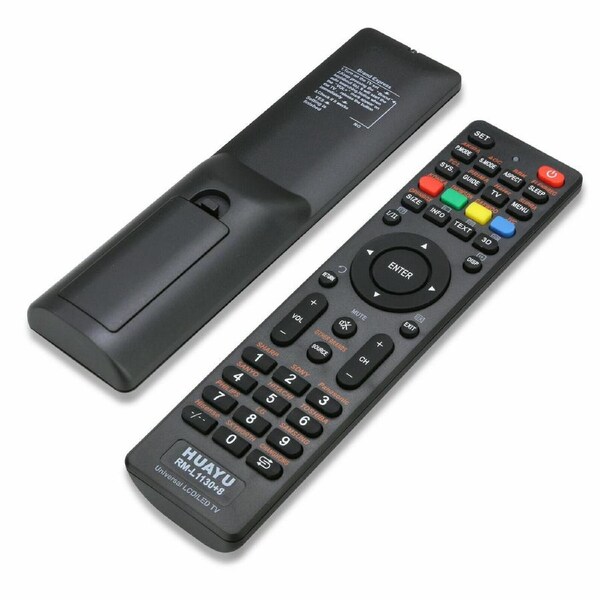


100% Brand New.
This is the 8th generation for the RM-L1130 model, hence it includes even more TV models.
CompatibleTV brands:
AKIRA, Changhong, Daewoo, Hitachi, Hisense, Haier, JVC, Konka, LG, Samsung?Skyworth, SHARP, SONY, SANYO,
Panasonic, Philips, Prima, Toshiba, Thomson,SONIQ QT-112, TCL and many more Suitable for TV with 3D function.
All parcels come with a tracking number and do not require a signature upon delivery, allowing them to be left in a safe place.
We partner with courier companies such as Australia Post, Aramex, Couriersplease.
Orders will be dispatched within 1-2 business days.
Delivery varies by location, please see the expected timeframe to receive your product below:
Metro: 1-4 business days
Regional: 1-6 business days
Change of Mind Returns:
We want you to love your product so if you are not completely satisfied with your purchase let us know.
Most products come with a 30 day change of mind policy. If at any time within the first 30 days from purchase date you are not completely satisfied with your order, please contact us via your Account for return approval. Once received and inspected, we will facilitate an agreed resolution.
Please Note:
-
Postage is paid by the customer
-
The product must be returned in the original packaging, accessories included
-
We do not accept responsibility for return items until they reach our warehouse, so we strongly recommend using tracking and/or insurance for the delivery
-
Fees may apply
Warranty Claims:
Most of our products are supported by a 12 month warranty. This warranty covers all manufacturer faults with the product. Some of our products may have a different warranty period, please check the product description for this. Should an issue arise with your order, please contact us to raise a warranty claim.
1. Turn on your TV set, let your TV set be in the normal state play. Aim the remote control in at the TV. Find the corresponding brand of your TV on the remote control, e.g. SHARP = 1.
2. Press and hold button "1" for 6 seconds. The indicator light will flash. When the volume symbol appears on your TV, release the button at once. Setup is complete .
- This are the steps to connect your tv with remote
1. Turn on your TV set,Let your TV set be in the normal state play, and aim the remote controller in the front of the TV.Find the three digits code from the code list.
2. Press ""SET"" button, then press ""POWER"" button, till the indicator lamp lights, then release the buttons, the remote controller will be in the state of inputting code.
3. Enter the first set of three-digit code in order. When you input each digit, the indicator lamp will flash one time, when you enter all of the three digits, the indicator lamp will turn off., setting to be finished. If the code is more than one set, please use first one at first.
Note:
For SONIQ TV compatible For This Model Only SONIQ QT-112
Specification
Color: Black
Battery type: Two size AAA batteries (Not Included)
Voltage: DC 3V
Package:
1 x Universal LCD/LED/HD/3D TV Remote
1 x Operation Instruction