
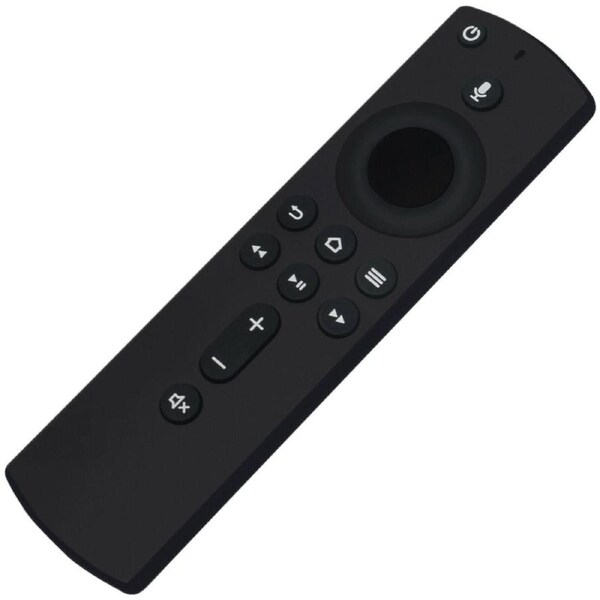


Voice Remote for Amazon Alexa 3rd Gen Fire TV 4K Fire TV Cube Fire TV Stick
a) Amazon Fire TV Stick 4K
b) Amazon Fire TV Stick (2nd Gen.)
c) Amazon Fire TV Cube (1st Gen.)
d) Amazon Fire TV Cube (2nd Cube)
e) Amazon Fire TV (3rd Gen, Pendant Design)
NOT Compatible with:
a) Amazon Fire TV (1st Gen.)
b) Amazon Fire TV (2nd Gen.)
c) Amazon Fire TV Stick (1st Gen.)
d) Amazon Fire TV Edition TVs.
Pairing Remote
Press the Home button about 8-30 seconds until the LED starts to rapidly flash amber, then the remote should automatically pair with your device.
RESET REMOTE
Having trouble with your remote, first remove and reinsert the new alkaline batteries in your remote. Then Reset your remote as below:
Reset Your Remote
Reset your Alexa Voice Remote if it doesn't connect to your Fire TV device. To reset your remote:
Place your remote within 10 feet of your Fire TV device.
1. Press the Left, Menu, and Back buttons simuitaneously, and hold for 10 seconds.
2. Wait for 60 seconds.
3. Remove the batteries from your remote, unplug your Fire TV device, and wait 60 seconds.
4. Plug your Fire TV device back in, and wait for the Home Screen to display
5. Hold the Home button on your remote for 40 seconds, then wait 60 seconds for setup to complete.
Power Supply:
2 X 1.5V AAA Alkaline Battery
Package Content:
1 X Remote Control Batteries don't inculded
Order before 2pm and we promise to dispatch on Same Day !
SYD, MEL, BRI, ADL orders are delivered within 1-2 days. Others within 2-5 days.
Warranty
Our goods come with guarantees and 12 months Australian Warranty.
Covers any defects in materials used to manufacture your product
Covers any defects in workmanship under normal use
Covers any broken components under normal use
Change of Mind Returns
We have a 14-days return policy, which means you have 14 days after receiving your item to request a return. For change of mind returns, your item must be in the same condition as you received it, unworn or unused, with tags, and in its original packaging.
How to Return?
To start a return, please contact us via email. If your return is accepted, we’ll send you a return shipping label, as well as instructions on how and where to send your package.