
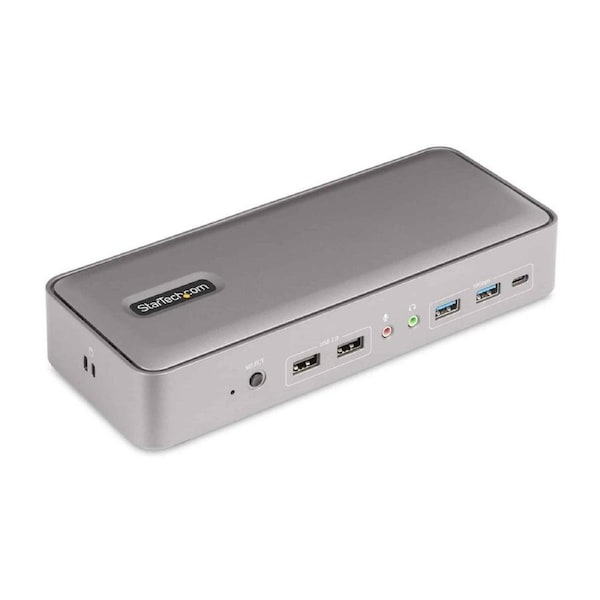


StarTech 129N-USBC-KVM-DOCK laptop dock/port replicator Wired USB 3.2 Gen 2 (3.1 Gen 2) Type-C Silver
The USB-C KVM Docking Station facilitates a dual-host, dual monitor 4K 60Hz workstation with two DisplayPort ports. Connect two USB-C laptops and select the target host device, using the toggle button. It features a 5-Port USB Hub, a Gb Ethernet port, and USB Power Delivery to charge the hosts and peripherals. Additionally, 3.5mm ports enable speaker and mic audio. The dock is DisplayLink Certified, for Plug and Display compatibility with Windows, ChromeOS, and macOS (supports mixed operating systems). DisplayLink technology supports extended dual displays on Apple M1/M2 MacBook which are not natively capable of driving more than one external display. The KVM docking station charges both host computers over USB-C, using Power Delivery 3.0. The dock supplies 90W of power to the active host and 45W of power to the host on standby.
What's in it for you?
- DUAL-LAPTOP KVM DOCK: Dock and Switch between two laptops at your desk/workstation and share dual 4K 60Hz monitors, keyboard, mouse and other USB peripherals; Switch between two laptops using a toggle button located on the front of the docking station
- SIMULTANEOUSLY CHARGE TWO LAPTOPS: USB-C KVM docking station charges both connected laptops over USB-C (PD 3.0); The included 180W power adapter automatically provides 90W of power to the active host and 45W of power to the host on standby
- GUARANTEED COMPATIBILITY: DisplayLink Certified Dual-Host KVM Dock supports dual displays on M1/M2 MacBooks; Works w/mixed operating systems (combine Windows, MacOS or Chrome OS); Works w/USB-C, Thunderbolt 4/3 & USB-A laptops (USB-C to A cable not incl)
- CONNECTIVITY: The dock features a variety of ports for device connectivity; 2x USB 2.0 Type-A HID, 2x USB-A (10Gbps), USB-C (10Gbps), 2x DisplayPort, 2x USB-C host ports, Gigabit Ethernet, 3.5mm stereo audio, 3.5mm mic, 2x K-Slots (Standard/Nano)
- OUR ADVANTAGE: Included connectivity tools for IT Pro's and IT help-desk support teams with Network MAC Address Pass-Through for network security, WiFi Auto Switching for improved network performance, USB Event Monitoring, and Windows Layout
Delivery varies by location, please see the expected timeframe to receive your product below:
Metro: 1-4 business days
Regional: 1-6 business days No delivery to PO Box addresses or Parcel Lockers.
If you are unavailable at the time of delivery re-delivery fees may apply.
At MyITHub, we are committed to upholding your rights under the Australian Consumer Law (ACL). You may be entitled to a refund, replacement, or repair if a product you purchase does not meet certain consumer guarantees—such as being faulty, not as described, or unfit for its intended purpose.
In addition to these legal rights, MyITHub also offers a voluntary returns policy for change-of-mind purchases, subject to the following conditions:
The return request is submitted through the MyITHub website or via email within 14 days of the invoice date.
The product is returned in new, unused condition, and in its original, undamaged packaging.
The product has not decreased in price since the time of purchase.
The product was not sold on a “no returns” basis. Promotional or clearance items may be marked as non-returnable at MyITHub’s discretion.
The customer is considered by MyITHub, in its sole discretion, to be in good standing.
Please note that returns under this policy may be subject to a 20% restocking fee.