
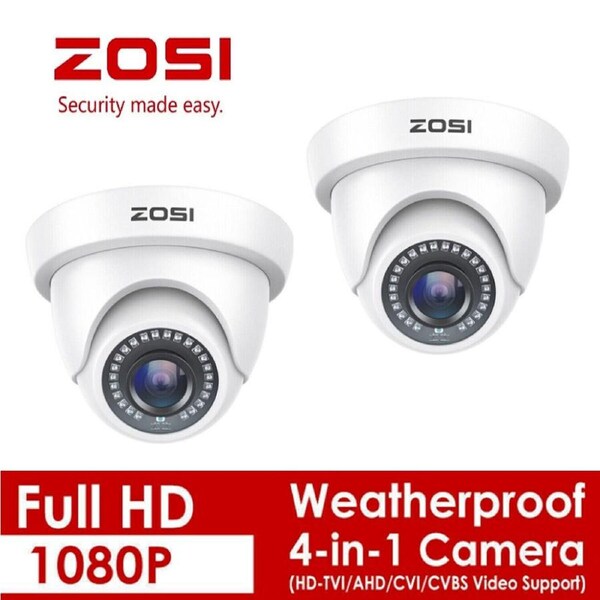


ZOSI 2PK 4in1 HD 1080P Outdoor CCTV Home Security Surveillance Camera IR Night
package content:only 2pcs add on cameras(no cable)
Press OSD joystick to switch the output mode:
- Default / UP for 5 seconds: CVBS 960H
- Right for 5 seconds: TVI
- Down for 5 seconds: CVI
- Left for 5 seconds: AHD
Noted: this is a wired security camera, and it could be the additional or replacement camera for the wired security system.
- Image Sensor: 1/3〞CMOS CMOS with IR-Cut.
- Active Pixels: 1920(H)×1080(V).
- Lens: 3.6mm
- IR LEDs Amount: 24pcs, 5mm LEDs
- IR Distance: up to 80ft.
- Viewing angle:90 degree
- Weather - Resistant
- Singal mode: TVI / AHD / CVI / CVBS 960H.
This 1080p full HD camera has a built-in OSD menu that can change the 4 different video outputs:HD-TVI, AHD, CVI, and CVBS(960H), and adjust the video settings.
Operation Mode:
- Switch from AHD: Press Leftward for 5 Seconds
- Switch from TVI: Press Rightward for 5 Seconds
- Switch from CVBS: Press Upward for 5 Seconds
- Switch from CVI: Press Downward for 5 Seconds
- Noted: Default Video Mode is Analog 960H Mode
See everything in details with true 1080p HD resolution. Get clearer and smoother images/videos than 720p cameras.
Equipped with 24pcs infrared LEDs, this camera can see up to 80ft in darkness. 3.6mm HD lens with IR-CUT captures clear image and video at night.
Mount this camera on the ceiling or on the wall. It's simple to place it anywhere indoor and outdoor for all-round surveillance.
- Question: Video Loss appears where the image from my camera should be displaying on my DVR?
- Answer:
- Check the extension cable (power and video) is securely connected to the camera.
- Check the video output from the camera is securely connected to a video input channel on the DVR.
- Check the power from the camera is securely connected to a power supply.
- If the camera mode do not match your DVR, there is 2 ways to setup :
- Press OSD Joystick “DOWN” 5 seconds, if still no picture come, try to press “LEFT” “RIGHT””UP” for 5 second, till the signal matching your DVR.
- Make sure the signal of your DVR, Use OSD Joystick to change the mode of the camera according to your DVRs video Mode
We ensure all the items gets dispatched within 1-2 business days. More than 90% of the item gets delivered within 2-6 business days.
All of our new items comes with 1 year warranty.
If the product is faulty, it can be returned and we will help accordingly. Change of mind for some products may cost shipping fee to customer.
Our goods come with guarantees that cannot be excluded under the Australian Consumer Law. You are entitled to a replacement or refund for a major failure and loss or damage.