
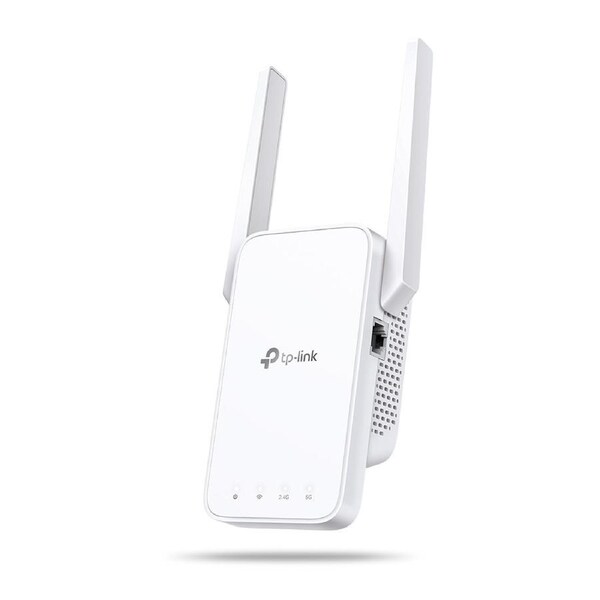


TP-Link RE315 AC1200 Mesh Wi-Fi Range Extender
Boost Whole Home Wi-Fi with Your Existing Router
A single router has limited Wi-Fi coverage and always causes Wi-Fi dead zones. RE315 wirelessly connects to your existing router and expands its Wi-Fi signal into areas it can't reach on its own. Enjoy your stable network experience wherever you are at home.
Flexibly Create Whole Home Mesh Wi-Fi
If you have any dead zones at home, just add another EasyMesh-compatible router to further form your whole home mesh Wi-Fi. No more searching for a stable connection.
Faster Dual Band Wi-Fi up to 1200 Mbps
RE315 delivers dual band (2.4 GHz and 5 GHz) to transmit Wi-Fi signals, doubling the performance of each band. It enables you to keep more devices connected at the same time with its 300 Mbps 2.4 GHz and 867 Mbps 5 GHz dual bands. Use the 2.4 GHz band to send email and browse the web and the 5 GHz band for gaming and HD streaming
Adaptive Path Selection: Keeps Itself Working at Top Speed
Adaptive Path Selection keeps your network running at optimal speeds by automatically choosing the fastest connection path to the router. Always keep your devices fast and stable-ideal for network environments crowded with many devices and applications
Built-In Access Point Mode
RE315 is more than a wireless range extender. Simply plug an Ethernet cable into its Ethernet port and easily turn your wired internet connection into a 2×2 MIMO dual band wireless access point.
Secure One-Touch Connection for Easy Setup
Step 1: Simply press the WPS button on your router and, within 2 minutes, the WPS button on RE315 will connect to the network.
Step 2: Once connected, place RE315 at the best location-without reconfiguration.
Notes: Please connect the extender to the router via the Tether app or Web UI if your router doesn't support WPS.
Find the Best Location with the Smart Signal Indicator
The smart signal indicator lets you see signal strength from the existing router at a glance. Easily to find the best place to position your range extender to extend your Wi-Fi.
Control at Your Fingertips
Set up and manage your Wi-Fi through the TP-Link Tether app from your smartphone (Android, iOS), including TP-Link routers and range extenders.
- Eliminate weak signal areas with whole home Wi-Fi coverage.
- 2.4 GHz (300 Mbps) and 5 GHz (867 Mbps) dual-band Wi-Fi connection ensures more stable wireless experience.
- EasyMesh-Compatible - Flexibly creates a Mesh network by connecting to an EasyMesh-compatible router for seamless whole-home coverage
- Adaptive Path Selection - connects to the fastest connection path to the router automatically and runs at top-speed.
- AP Mode - create a new Wi-Fi access point to enhance your wired network with Wi-Fi capability.
- Smart signal indicator helps to find the best location for optimal Wi-Fi coverage by showing the signal strength.
- Push the WPS button to easily connect to the router and you can uniformly manage from the Tether app or Web UI.
- Works with any Wi-Fi router or wireless access point.
Delivery varies by location, please see the expected timeframe to receive your product below:
Metro: 1-4 business days
Regional: 1-6 business days No delivery to PO Box addresses or Parcel Lockers.
If you are unavailable at the time of delivery re-delivery fees may apply.
At MyITHub, we are committed to upholding your rights under the Australian Consumer Law (ACL). You may be entitled to a refund, replacement, or repair if a product you purchase does not meet certain consumer guarantees—such as being faulty, not as described, or unfit for its intended purpose.
In addition to these legal rights, MyITHub also offers a voluntary returns policy for change-of-mind purchases, subject to the following conditions:
The return request is submitted through the MyITHub website or via email within 14 days of the invoice date.
The product is returned in new, unused condition, and in its original, undamaged packaging.
The product has not decreased in price since the time of purchase.
The product was not sold on a “no returns” basis. Promotional or clearance items may be marked as non-returnable at MyITHub’s discretion.
The customer is considered by MyITHub, in its sole discretion, to be in good standing.
Please note that returns under this policy may be subject to a 20% restocking fee.