
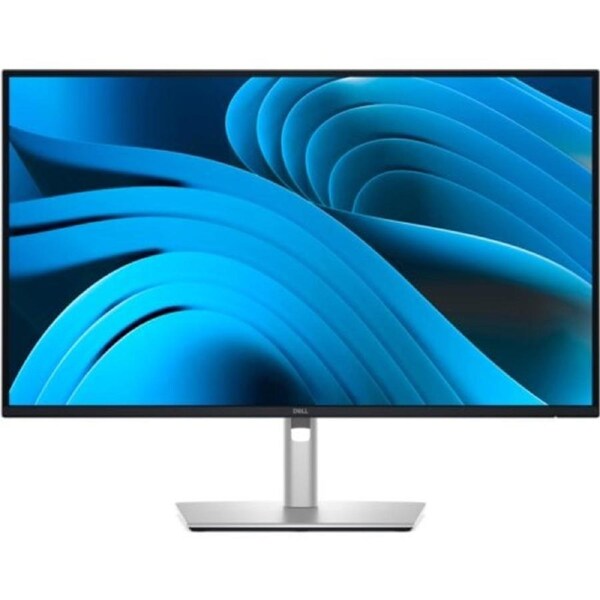


Dell Pro Plus, 27" (16:9) Qhd Ips, Hdmi, Dp, Usb-C Hub, Usb(3), H/adj, Pivot, Lan, 3yr
Stay productive with this 27-inch QHD monitor featuring extensive connectivity, and certified by TUV for 4 star eye comfort.
Single-cable solution
Transmit video, data, Ethernet and up to 90W power delivery all at once with USB-C.
Variety of ports
Including HDMI, DP, USB and RJ45 for stable Ethernet.
Work seamlessly
Daisy chain multiple monitors for efficient multitasking.
Works with devices on macOS®
Tested with devices on macOS, this USB-C monitor is ready-to-work with Mac® devices.
Enhanced eye comfort
TÜV 4-Star certified monitor for eye comfort reduces eye fatigue while you work.
Improved ComfortView Plus
Reduced harmful blue light emissions to ≤35%, for all-day comfort without sacrificing color.
Refresh Rate
100Hz refresh rate delivers less flicker, more seamless scrolling and smoother motion.
Vivid Colors
Wide color coverage with up to 16.7 M displayable colors of 99% sRGB.
Clarity from any angle
With high resolution, consistent colors across wide angles, and improved contrast ratio, your work has never looked this good.
QHD resolution
2560 x 1440 resolution makes every detail stand out.
Color consistency
Vibrant colors across wide viewing angles enabled by In-Plane Switching (IPS) technology.
1500:1 contrast ratio
For deeper blacks and brighter whites.
Configure your workspace
A wide variety of ports ensure you can connect all your accessories and create the perfect work setup to maximize your productivity.
Quick access ports
Experience the convenience of front-facing, pop-out USB-C (with up to 15W charging) and USB Type-A ports for easy connectivity. When you are done, just pop the ports back in for a clean look.
Work comfortably
Designed for comfort and style with adjustability features and an ultra-thin bezel.
Dell Display and Peripheral Manager
Experience Dell's singular, innovative application to optimize the performance of your entire Dell PC workspace.
Maximize productivity
Easy Arrange tiles apps across screens with pre-set partitions and customizes up to five windows, enhancing multitasking. Easy Arrange Memory saves and restores app profiles manually, on schedule, or at start-up.
Customize your views
Work comfortably, day or night. Automate your brightness and contrast settings to match your schedule.
More manageable
Scale up management across your entire fleet of Dell displays and client peripherals with streamlined firmware update and expanded Command Line Interface features.
What's in it for you?
- Single-cable solution
- Variety of ports
- Enhanced eye comfort
- Improved ComfortView Plus
- Vivid Colours
- Clarity from any angle
- QHD resolution
- Colour consistency
- Quick access ports
Delivery varies by location, please see the expected timeframe to receive your product below:
Metro: 1-4 business days
Regional: 1-6 business days No delivery to PO Box addresses or Parcel Lockers.
If you are unavailable at the time of delivery re-delivery fees may apply.
At MyITHub, we are committed to upholding your rights under the Australian Consumer Law (ACL). You may be entitled to a refund, replacement, or repair if a product you purchase does not meet certain consumer guarantees—such as being faulty, not as described, or unfit for its intended purpose.
In addition to these legal rights, MyITHub also offers a voluntary returns policy for change-of-mind purchases, subject to the following conditions:
The return request is submitted through the MyITHub website or via email within 14 days of the invoice date.
The product is returned in new, unused condition, and in its original, undamaged packaging.
The product has not decreased in price since the time of purchase.
The product was not sold on a “no returns” basis. Promotional or clearance items may be marked as non-returnable at MyITHub’s discretion.
The customer is considered by MyITHub, in its sole discretion, to be in good standing.
Please note that returns under this policy may be subject to a 20% restocking fee.
Visit this page for more information on how to stay safe online.