Impersonate. Remember to log out.

A fresh way to pay

Now accepting Apple Pay in store

No wallet? No worries.

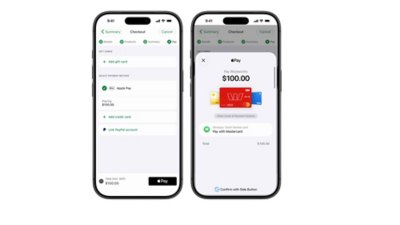
Apple Pay is the easy way to pay at the checkout by simply using iPhone or Apple Watch. It’s an easy, faster and more secure way to pay for your shopping.

1. Easy

If you are using the Woolworths self checkout, remember to select ‘Card’ as your payment type.

2. Faster

Paying with iPhone
Just hold iPhone near the PIN Pad with your finger on Touch ID. Your phone will display ‘Done’ once your payment has been completed.

Paying with Apple Watch
Double-click the side button and hold the display of your Apple Watch up to the PIN Pad. Your Apple Watch will display ‘Done’ once your payment has been completed.

3. Secure

Your card details are never stored on your device or shared when you pay. Making payments with iPhone and Apple Watch is the safer, more private way to pay.

apple pay

How to set up Apple Pay on iPhone

1. Open the Wallet app
2. Press the plus (+) icon in the upper right
3. Follow the prompts

How to set up Apple Pay on iPhone

1. Open the Apple Watch app on your iPhone
2. Press ‘Wallet & Apple Pay’
3. Press ‘Add Credit or Debit Card'
4. Follow the prompts

For more information please visit apple.com/au/apple-pay or contact your bank.
Disclaimer: Apple Pay works in store with iPhone 6 and later, Apple Watch. For a list of compatible Apple Pay devices see support.apple.com/km207105. Apple, the Apple logo, Apple Pay, Apple Watch, iPhone and Touch ID are trademarks of Apple Inc., registered in the U.S. and other countries.